
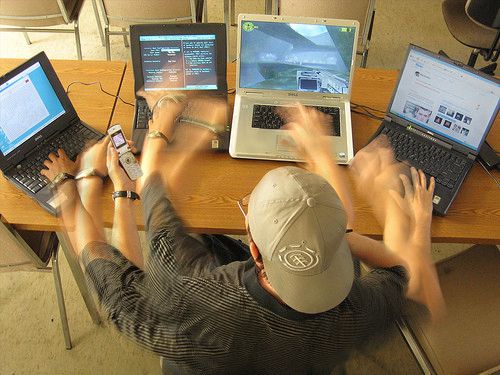
It's late afternoon, and you have six AI tabs open. One is drafting a report, another is rewriting an email, a third is summarizing a meeting, and the rest hold half-finished ideas you still need to check. Every task feels almost done, yet nothing is actually finished. By the end of the day you feel completely drained, even though you never did anything that felt like heavy work.
That's the strange paradox many people are noticing. AI was supposed to help us do less, but for some of us it's leaving our minds more exhausted than before. Researchers now have a name for this feeling: AI brain fry. Here's what it is, how to recognize it, and how to give your mind a real reset.

What is ai brain fry?
The term comes from a study by researchers at Boston Consulting Group and the University of California, Riverside, published in Harvard Business Review in March 2026. After surveying 1,488 full-time workers in the United States, the team defined AI brain fry as mental fatigue from excessive use or oversight of AI tools beyond one's cognitive capacity.
People who experienced it described a "buzzing" feeling in their heads, a kind of mental fog, trouble focusing, slower decision-making, and headaches.
It's tempting to label this as just another form of burnout, but the two are not quite the same. Burnout usually builds slowly over months and involves deep emotional exhaustion and detachment from work. AI brain fry is better understood as a more immediate strain on your thinking, the kind that comes from asking your working memory and decision-making to handle more than they comfortably can. The study hints at this difference: when AI took over repetitive tasks, burnout scores were lower, yet mental fatigue from heavy oversight didn't improve the same way.
Why ai can make work more tiring, not less
Before these tools, much of our effort went into doing the task itself, like writing, calculating, or researching. With AI, a growing share of that effort shifts toward supervising. You check the output, spot what's wrong, correct it, and decide whether it's good enough. That constant evaluation is more demanding than it looks. According to the study, workers with high oversight demands reported 12% more mental fatigue and 19% more information overload.
Switching between tools adds another layer of strain. Every time you jump from one AI assistant to another, your brain has to reload the context, remember what you asked, and figure out where you left off.
The number of tools also matters. Respondents who used three or fewer AI tools reported productivity gains, but those who used four or more said their productivity dropped sharply. Beyond a certain point, managing the tools seems to cost more than the tools save.
None of this means AI is the enemy. As the lower burnout scores show, AI can genuinely make work lighter when it's used to automate repetitive, routine tasks. The real issue isn't whether we use AI but how we use it.
It's also worth keeping the findings in perspective. The data is based on workers' own reports, and it's still unclear whether AI brain fry is a lasting problem or part of a period of adjusting to new ways of working.
Who's most at risk?
Around 14% of AI-using workers in the study said they had experienced brain fry. That may sound modest, but the numbers vary widely by role.
Marketing professionals were the most affected, with 26% reporting symptoms. Human resources followed at 19% and engineering at 18%, while legal professionals had the lowest rate at 6%.
Roles that require constant judgment, quality checks, and high output volume tend to create more oversight, and more oversight means more mental load. If you work in creative or content roles, where you might generate, review, and refine AI output all day long, it's especially worth paying attention to how your mind feels.
6 signs you might have ai brain fry
The signs below are based on how study participants described their experience, including mental fog, difficulty concentrating, slower decisions, and headaches. Noticing one occasionally is normal; noticing several regularly is a signal to change how you work.
Your mind feels buzzing or foggy. After a long AI session, your thoughts may feel scattered or cloudy, as if there's static running in the background of your mind.
You struggle to focus on a single task. You open a document intending to finish it, but your attention keeps sliding to another tab, another prompt, or another half-finished draft.
Decisions take longer than usual. Even small choices, like which headline to use or whether a paragraph is good enough, suddenly feel heavy and slow.
You get headaches by the end of the day. Tension builds as the hours pass, especially on days full of screen time and constant reviewing.
You make more mistakes when reviewing content. Errors slip past you that you would normally catch, because your attention is stretched too thin to check carefully.
You need to step away from your computer to feel clear again. Many respondents said the fog only lifted once they physically left their desks. If a break away from the screen is the only thing that helps, your mind is likely telling you it has reached its limit.
How to reset when your brain feels fried
When you notice the signs, you don't need a full day off to recover. A few intentional steps can help your mind settle quickly.
Step away physically
Since so many people find that distance is what finally clears the fog, start there. Leave your desk for a few minutes. Walk to another room, step outside if you can, or simply stand by a window and let your eyes rest on something far away.
Close what you don't need
Before you return to work, look at everything you have open. Close the tabs, tools, and threads that don't need your attention right now, and write down any unfinished tasks on a simple list so you don't have to hold them in your head. Clearing your screen helps clear your mind.
Do one thing without ai
Choose one small task and do it entirely by hand. You might sketch an outline on paper, write a short message in your own words, or tidy a folder manually. Working without AI slows your pace and lets your brain return to a single, steady stream of thought, which can feel surprisingly restful after hours of evaluating machine output.
How to prevent it: Healthier ai habits
Resetting helps in the moment, but a few longer-term habits can stop brain fry from building up in the first place.
Start by limiting how many AI tools you use at the same time. Since productivity tends to fall once people juggle four or more, keeping your active tools to two or three gives you the benefits without the overload.
Next, try batching your review work. Rather than checking AI output every few minutes, set aside specific blocks of time to review and edit everything at once. This cuts down on constant switching and gives your attention longer stretches of calm.
It also helps to break work into smaller pieces and finish each one before starting the next. When you have fewer open loops, there's less for your brain to track.
Consider setting a clear end time for AI-heavy work each day. It protects your evenings and gives your mind time to recover.
Finally, save your deepest thinking for the morning, when your mind is usually freshest. Use that time for planning, strategy, or creative work that relies on your own judgment, and leave more routine AI tasks for later in the day. Because so much of AI brain fry comes down to making too many choices, it's also worth understanding how decision fatigue affects your energy.

Use ai wisely, rest wisely
AI is a powerful tool, but your brain still has limits.
Working well with AI isn't about using as many tools as possible. It's about using just enough of them, and knowing when to step away.
If you've reduced your workload and still feel persistently exhausted, have trouble sleeping, or can't shake the mental fog, consider talking with a doctor or mental health professional. Ongoing fatigue can have many causes, and the right support matters.